
Connect models and tools in repeatable workflows.
OLO, the Open LLM Orchestrator, coordinates language model calls, tools and workflow steps. Define workflows as portable JSON graphs and run them on Temporal workers, with model endpoints and deployment settings configured separately.
Take a closer look
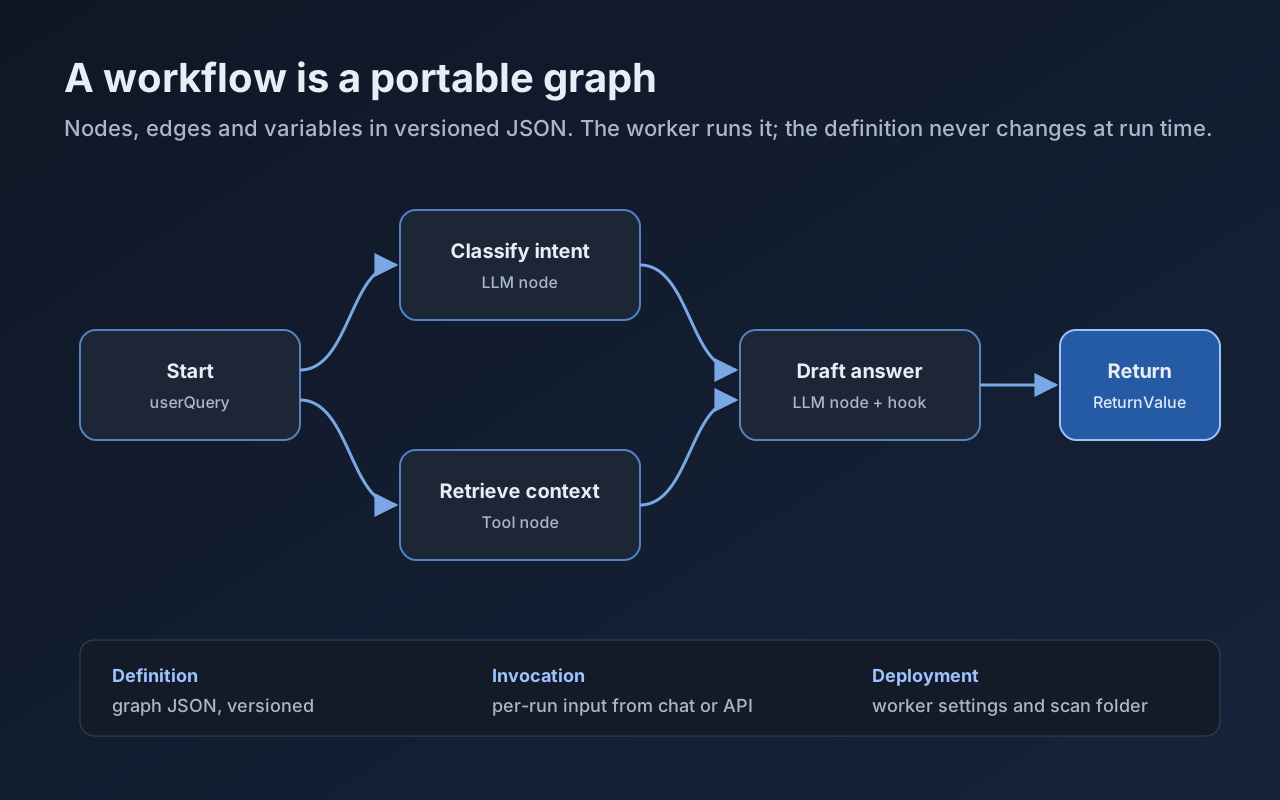
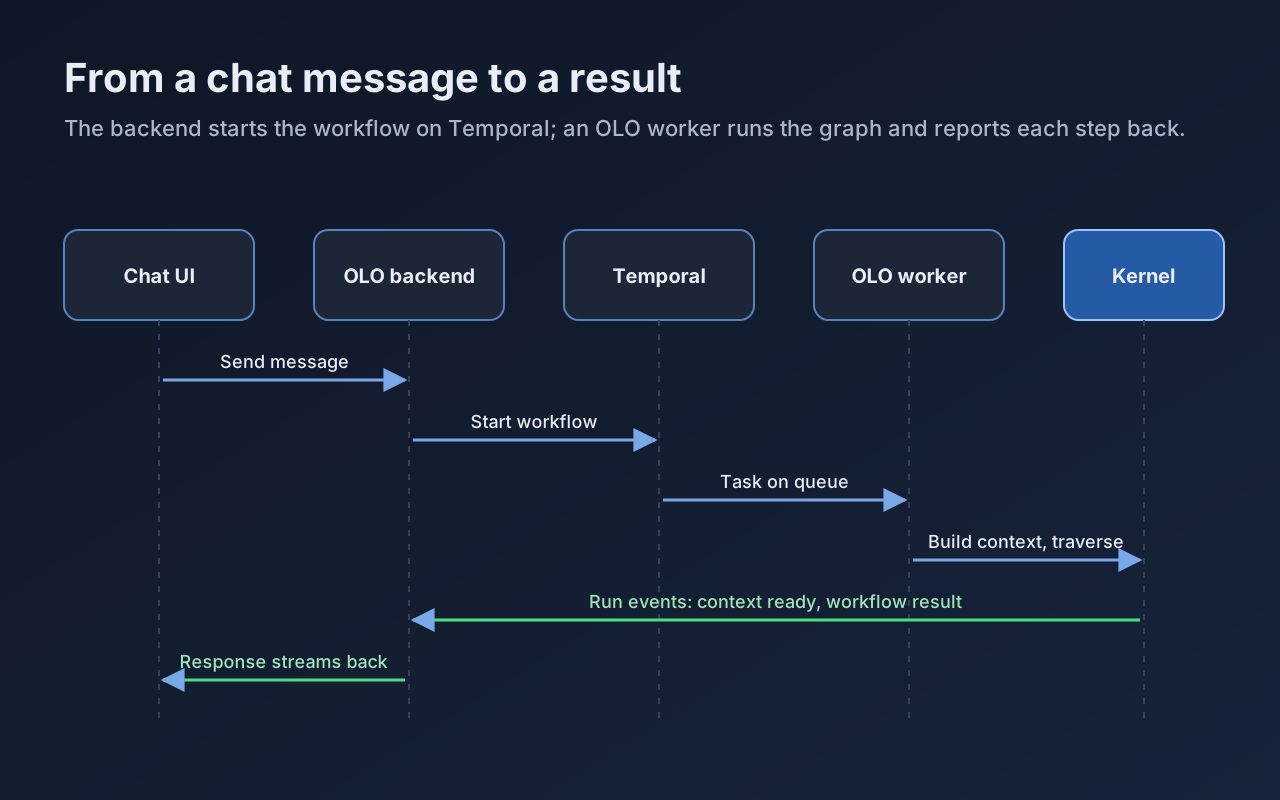
Diagram: a workflow is a portable graph of LLM, tool and hook nodes.
What you can do
- Choose hosted or local modelsConfigure compatible model endpoints separately from the workflow graph. Evaluate each model for the tools and outputs your workflow needs.
- Portable workflow graphsDefine steps, connections, variables and return values in versioned JSON. Use builders and validation to maintain your workflows.
- Start with a presetActivate a ready-made workflow from Administration, Scenarios in the OLO console.
- Run on Temporal workersWorkers execute workflow steps and report progress back to the chat interface.
- Extend your workflowsAdd custom nodes, tools and hooks through the service provider interface (SPI), and expose them to workflow editors.
Explore the demos
Choose a demo below to see what it includes and how to get started.
OLO demo Coming soon
Send a chat message to start a preset workflow. Follow its progress through the steps and view the result.
This demo is not available here yet. See the installation guides to run your own instance.
Install & Deploy
Run the OLO stack with Docker Compose or build a Temporal worker from source. Kubernetes and Helm installation instructions are not currently provided in the OLO deployment repository.
Developer resources and contributing
Help improve the project through code, documentation, testing or bug reports. Start with the contribution guide and find an issue that matches your interests.
- Source on GitHubExplore the code, branches and pull requests.
- Contribution guideSet up your development environment and learn how to submit a change.
- Issues & feature requestsReport a reproducible bug, propose an improvement or find work to contribute.
- Contributors & creditsMeet the people contributing to the project.
- Project creditsRead acknowledgements and project credits.